

Nombre de resultats 16
per a Games
18/04/2019 - 2019-10 Readings of the week
NOTE: The themes are varied, and some links below are affiliate links. Software engineering, psychology, generative art. Expect a similar wide range in the future as well. You can check all my weekly readings by checking the tag here . You can also get these as a weekly newsletter by subscribing here.
If you are wondering why the list is shorter this week (and is so late) is because last week I said I was going to play Stardew Valley, and I complied. Oh, I also played a bit with creating fun models with Alloy, maybe I'll explain something soon.


If you are wondering why the list is shorter this week (and is so late) is because last week I said I was going to play Stardew Valley, and I complied. Oh, I also played a bit with creating fun models with Alloy, maybe I'll explain something soon.
 |
| Could very well be named Autumn Rhythm, Letter C |
The Day Feynman Worked Out Black-Hole Radiation on My Blackboard
The way Richard Feynman found interesting stuff and just had a go (have you read Surely you’re joking, Mr Feynman?) is astonishing.How to Set Up VSCode for Remote Pair Programming
I’ve been researching better ways to help my coworkers while I’m remote. This VS Code setup looks interesting, although I’ll need to get an emacs/vim plugin if I am to use it.SIGBOVIK
If you run OCR on paint splashes, you get mostly valid Perl code.Multi-Scale Truchet Patterns
I always enjoy a good generative art finding, and Truchet tiles have always claimed a spot in my heart (I loved Cameron Browne’s Che game, even if it's a bit thin after a while)How Mental Models Unlock Your Thinking
I follow Shane’s podcast (and newsletter) regularly, so I’ve been looking forward the release of his audiobook. Now, it’s here, and I got it already.Newsletter?
These weekly posts are also available as a newsletter. These days (since RSS went into limbo) most of my regular information comes from several newsletters I’m subscribed to, instead of me going directly to a blog. If this is also your case, subscribe by clicking here.
19/11/2017 - Want to play? Get a MFi controller for Christmas
It would probably be an understatement to say I'm not a gamer. Last console I got was a Game Boy, 22 years ago (IIRC). Never got a gaming PC. I have 4 games on my Mac, and one is ASCII based. But my main source of mindless leisure for the past 7 years, aside from reading, has been playing with some iDevice. From an iPod Touch back then to my current iPhone and iPad Pro, playing, for me, has been Apple. Mostly strategy games, occasionally getting some simulator or arcade depending on how good it looked and how well designed for touch it seemed.
Recently, though, I got a MFI (Made for iDevices, I guess) Bluetooth controller (affiliate link to Amazon: SteelSeries Nimbus). It has made playing the games it is compatible with impressive. Case in point, yesterday I finished playing the outstanding Forma.8 Go an open world exploration-driven platformer. I had started playing it several months ago, and stopped by the frustration at my inability with touch controls. Mind you, they are very well designed, it's just that I could not adjust to them. Playing with a controller was a totally different experience, much more enjoyable (looking at you, Downwell).
It is rechargeable (have been using it for a couple of weeks and so far the battery has not depleted... as I said, I'm not a huge gamer) and works with iPhones, iPads, Apple TVs and even with Mac's, although for older games you will need several tricks (first, a converter from MFi to HID you can compile from this github repository, and depending on the game a HID remapper tool like Enjoyable, with these two I could almost play Reassembly... I will try to play following another path, but with this I could play old DOS based games instead).
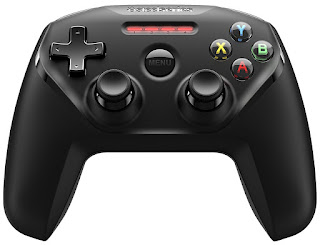 |
| The SteelSeries Nimbus |
Sadly, not all games support controllers, they have to be specially programmed for it. For the ones that support it though, playing with a controller is way more fun, which has made the purchase totally worth it, even if I play less than 2h/week on average. Be sure to check which games are available (and which you already own and like!) before getting it to avoid a letdown. Oh, and in case you are wondering... neither PES 2018 nor FIFA 18 support it, sadly. NBA 2K18 seems to do, but I have not purchased it yet to try. Some of the GTA titles do, as well as the iOS classics Thomas was Alone and Galaxy on Fire 2.
Oh, and in case you prefer different kinds of controllers, there are plenty to choose from. Some convert your iPhone in what looks like a weird PSP, or have a clip to hang your phone. Can't vouch for them: the Nimbus feels high quality.
23/11/2011 - Again and Again: Playing Go

For some odd reason, every autumn I decide I want to play again, and I pick up playing only for it to wane after a while. As every year, I hope this is the last and I keep on playing. What has this game that is so appealing?
Go is a beautiful game. If you are anything into programming, it's like the Lisp of board games. Lisp (at the core McCarthy sketched) is so simple that it is almost like it was discovered more than developed or invented. Likewise, Go is probably one of the simplest games you can define, yet it hides a deepness that is astonishing.
I used to be a chess player back in my early teen years and there was something that always bothered me: why are chess rules so arbitrary? Why does the knight jump in an L shape and no other piece jumps? Why is the rook placed on the sides? I was unsatisfied with these arbitrary rules. In addition to this, even as a very, very early amateur, you could get nowhere without either killer move reading (anticipating moves is usually called reading in the board game lingo) or a quite decent knowledge of some openings. In my days, I settled for the Indian openings, by the way (which then could be stretched into the Catalan opening, which I also used very often).
After giving up chess due to lack of time and drive, I discovered Go, a game where the rules are kind of natural. Although there are some kind of openings close to the sense of chess (known as joseki, which means fixed pattern), they are not fundamental until you are quite a decent amateur, and even yet, are not essential.
For a long time I was member (also was vice-president, accountant and maybe even president for some days) of the club in my maths faculty, where we taught many peope the game. Lack of time and a persistent avoidance of playing, moved me away from the game. Why was I avoiding playing? Fear of competition, fear of losing, fear of making stupid moves and looking stupid. These are feelings I still have, even 10 years later. Slightly less: failing and doing stupid things cures you from this.
This autumn, just a few days after I had joined the baduk subreddit, one of the admins there started a tournament, and I found it perfect to get me playing. So I registered, removing two ranks from what I remembered was my rank. In Go, ranks start at 30 kyu, and progress towards 1 kyu, afterwards you get 1 dan and progress towards 9 dan (there is nothing beyond 9 dan). The rank I remembered (in the online server KGS) was 12k, a rank I held for a long time, and accordingly set my new rank as 14k.
What I did not remember was the fact that KGS had undergone a rank shift. I don't remember the details, but it had something to do with moving the peak of the normal distribution of ranks. After this rank shift (and probably a little improvement while I didn't play) I got to be 6k for a while, maybe even more for short while due to rank drift. What rank drift? When you play a game against a player and win, if the player improves your rank improves accordingly (the effect fades after a certain time, but carries some weight). Since I was playing very little, I was subject to very strong drift effects.
And this is the story of how I have started playing again, and what is this thing called Go. Maybe I'll write more about the game, maybe not. If you are a subscriber you already know how my interests shift from time to time... But I always come back to the basics!

22/09/2011 - Another World for iPad and iPhone Review
I don't usually post on two consecutive days... But this post is special: today is the 20th Anniversary of Another World, one of the best games I remember from my childhood. And to commemorate, they have released an iPad/iPhone port. Which is awesome!
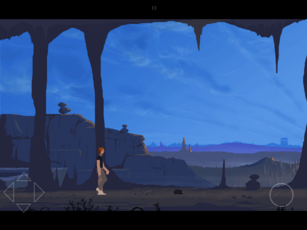

5 Years ago, for the 15th Anniversary, another special edition was created for Windows with high resolution graphics, and this is the base version for the iPad port. It looks awesome, and you can switch from the "old" low resolution graphics to the "new" high resolution while in-game, to get a taste of what games where in 1991.

I have only played a little, mostly because I should be working. You have two choices for the controls: touch and pad. The touch controls look very well thought, but after many (many!) deaths in the original (and 15th Anniversary) editions of Another World, I prefer pad.
Also, to appeal more players, they have created 3 difficulty levels: Normal, Hard and Hardcore. I have not checked, but I bet the original was only Hardcore. Will need to play more to check, which I will undoubtedly do. By the way, all the links to App Store in this post are affiliate links... But you bet this game deserves it.

19/02/2011 - iPhone and iPad App Review: Typography Star
Disclaimer: All links named Typography Star point to iTunes store. If you buy the app through these links, I get a small commission from Apple. This helps to keep this blog running smoothly. If you enjoyed my review and think you would like to buy this app, please do so through this links!
Are you a typography geek? If so, keep reading. If you are not... Well, I am not one of them but enjoyed playing this simple (but hard!) game.
I can make my Times from my Arial, and 2 out of 3 times I can tell if it is Georgia or Verdana (I know they are different but miss the names). Even being that bad a typographer, I enjoyed playing Typography Star (there are iPad and iPhone 3G-3GS versions available). The images I show are for the iPad version.
There are 4 modes available in Typography Star, ranging from easiest to hardest: Schoolar (sic), Junior, Senior and Art Director:

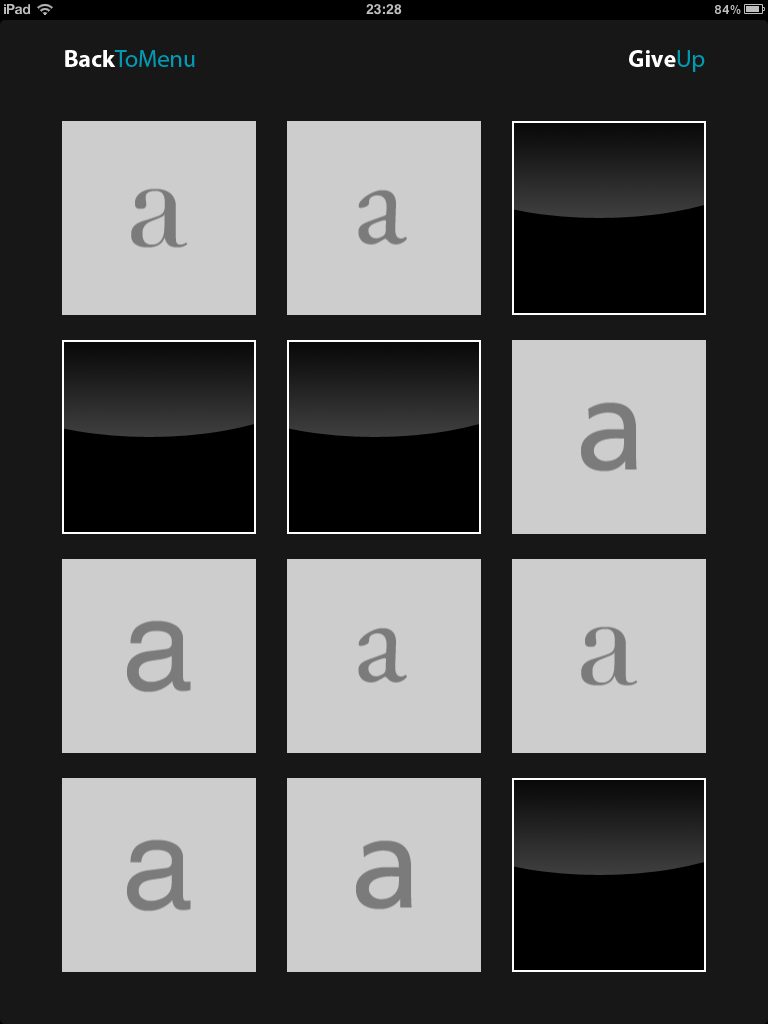
Schoolar is a "simple" match two game, where the images are depictions of the letter a in different fonts, with the name of the fonts below the letter:


This is pretty easy, but serves as a training for the coming levels. In the Junior level, the name of the font is removed, and you have to match only based on how the letter a looks!


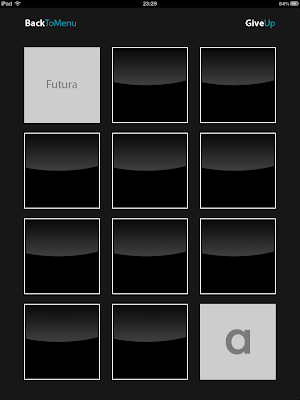


It is getting harder! The next level is the one I have enjoyed the most (Senior): you have to match the letter with the font name.


The hardest and last level, Art Director is just mad: Match font image to its creator.


I fail utterly at this level, but I just love matching fonts and names.
All in all an interesting little game. I miss compatibility with my iPod 2G (maybe they use heavy anti-aliasing that the older CPU does not implement natively), and I'd love a set of intermediate levels where you have to match different letters, not all of them a's. In case you are interested, Apple GameCenter compatibility is coming in a next version. You can buy Typography Star from this link.
All in all an interesting little game. I miss compatibility with my iPod 2G (maybe they use heavy anti-aliasing that the older CPU does not implement natively), and I'd love a set of intermediate levels where you have to match different letters, not all of them a's. In case you are interested, Apple GameCenter compatibility is coming in a next version. You can buy Typography Star from this link.
Related posts:
 Samurai: Way of the Warrior review iPod/iPhone Origami Case Diagrams Retro on iPod Touch (2): ScummVM iHold: an iPod touch credit card stand Canabalt for iPod / iPhone game review Field Goal: iPhone/iPod Touch game review Vector Tanks: iPod Touch / iPhone game Backbreaker for iPhone/iPod review Trundle iPod / iPhone game review
The "Related posts" method I use involves Javascript, thus it doesn't work in the RSS feed. To view related posts, please refer to the original article. Thanks!
01/11/2010 - Mirror Rubik Cube: It Just Looks Gorgeous
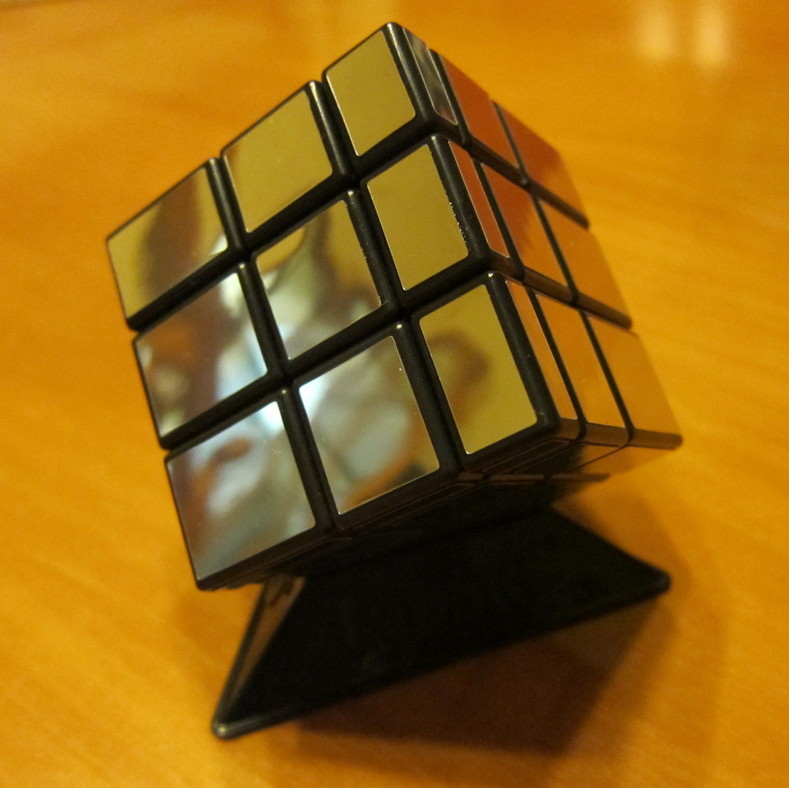
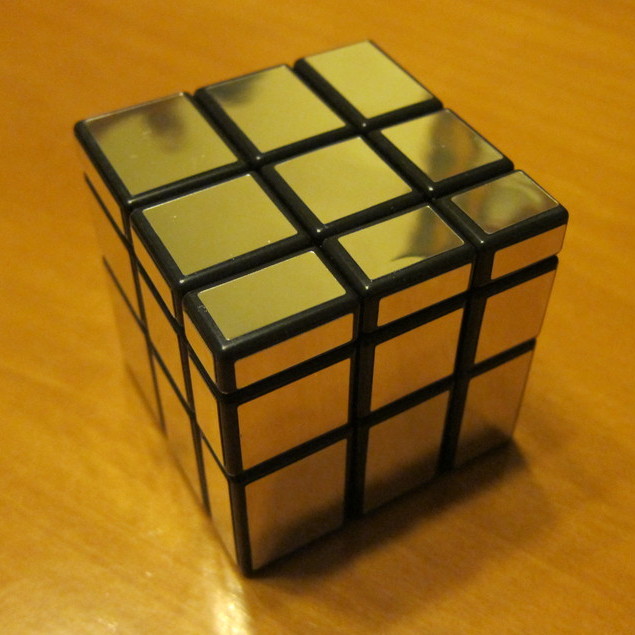
Doesn't it look nice?
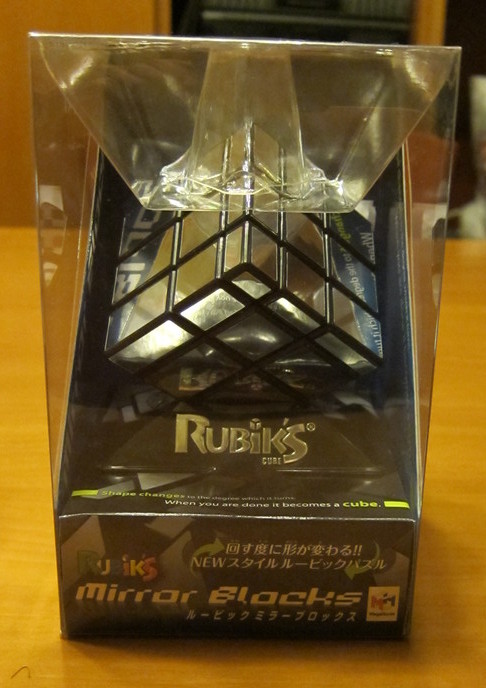
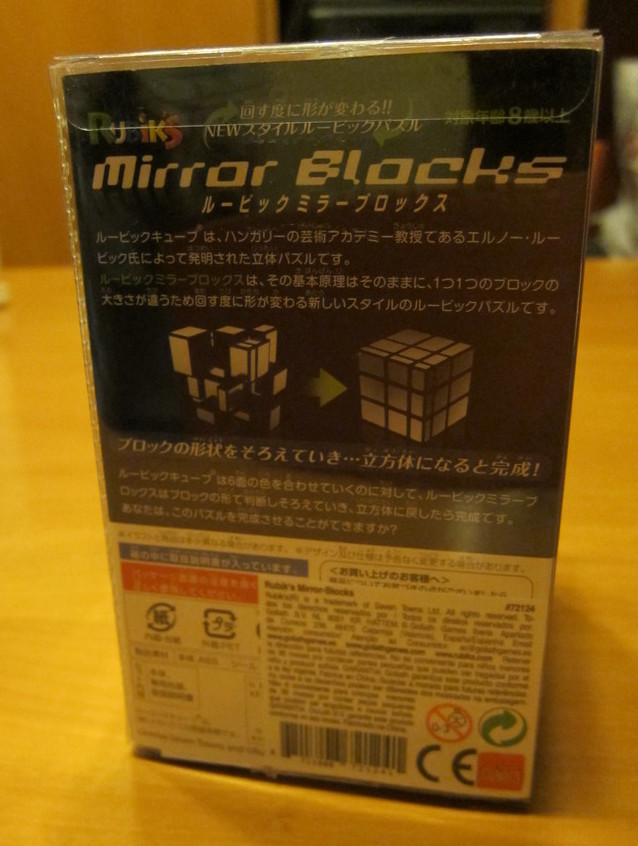
Last week Laia and me went to a toy/book/stuff shop to buy a music stand. Practising guitar without a music stand was starting to feel rather odd. While we were there, we bought several more items, among them an old time favourite from myself: a mirror rubik cube. An addition to my keychain cube, SuperCube, 5x5 cube and Rubik dodecahedron. I had only seen it online, from Amazon.jp. But I was able to buy it in Spain (boxed in Japanese, though), and when I came back home (and photographed it a lot) I found it was being sold in Amazon.com and ThinkGeek.com
 .
.
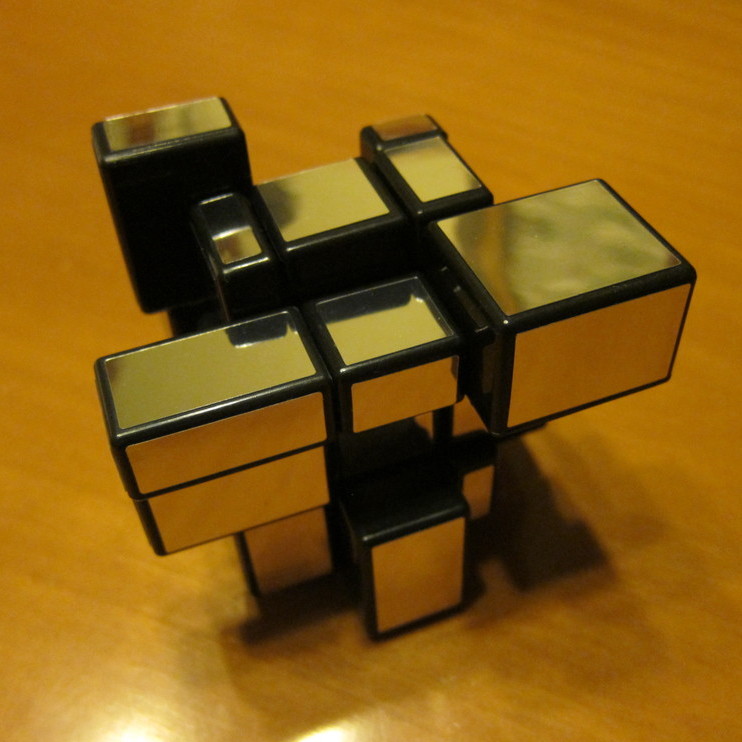
and ThinkGeek.comIt works as an standard Rubik cube, only that there are no colors and the individual cubes have different sizes. It definitely looks gorgeous, although it feels slightly prone to breaking (I haven't broken it yet). Standard Rubik cube algorithms work perfectly on it, I just solved it after scrambling. It costs around 20$/20€ depending on where and how you buy it.
 .
.Buy yours in ThinkGeek.com: Rubik's Mirror Blocks Cube .
.
Related posts:
iHold: an iPod touch credit card stand Canabalt for iPod / iPhone game review Vector Tanks: iPod Touch / iPhone game Backbreaker for iPhone/iPod review Trundle iPod / iPhone game reviewThe "Related posts" method I use involves Javascript, thus it doesn't work in the RSS feed. To view related posts, please refer to the original article. Thanks!
20/07/2010 - Samurai: Way of the warrior iPhone/iPod game review
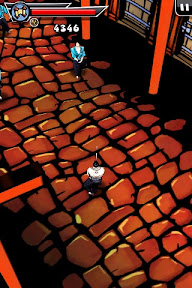
It has been a while since my last iPod game review (it was Lunarcy, a superb puzzle physics game with retro graphics). This time I come with an adventure/action game, set in the medieval Japan era known as Sengoku Jidai, the period of the country at war. After the death of the previous Shogun, succession was a problem and every daimyo (local army leaders) wanted this position. As such, war ensued. And this is where you are now, inside your small iPhone.
In Samurai: Way of the Warrior you play the role of Daisuke Shimada fighting Daimyo Hattoro after his kidnapping of a whole village.
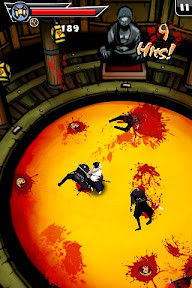
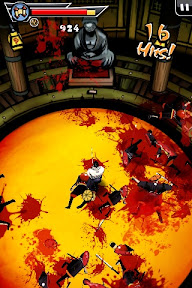
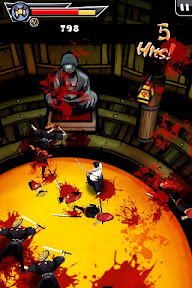
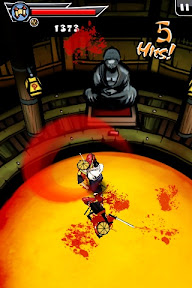
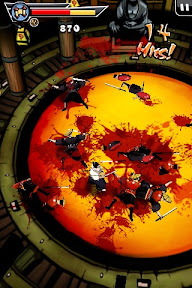
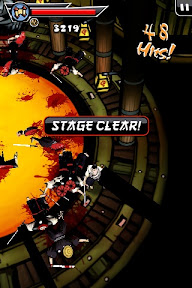
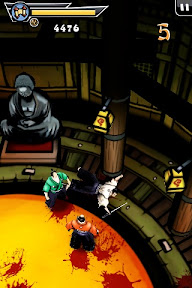
The game is self-described as hack and slash, and indeed, you will be slaying and hacking all the way until you find the daimyo. Beware of the blood spills!
Game controls are superb, as is the design and scenery. Moving is simple: drag Daisuke where you want to go (or just press where you want to go). Attacking can get trickier, but this is the part that gets real fun.
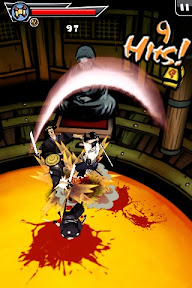
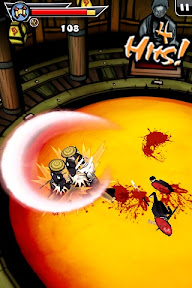
There are three basic moves, which result in moves of your katana (samurai sword). These are swipe up, right and left over the enemies. And there are nine combinations of these moves in 2-move combos (3 of them) and 3-move combos (6 different). With names as blood bath and walking sword, you may guess how they end up. Combos are unlocked as the history progresses in history mode, and they are all available in dojo (arcade) modes.
You can also dodge attacks, making an attacking move in the correct moment. This will end with a you in the back of your attacker ready for another attack.
The history mode is somewhat short (around an hour gameplay), with three different difficulty levels (thus allowing for some replay option), but there is also a dojo mode, with two different levels where you fight unending swarms of enemies (maybe not unending, but I have not ended them).
In Samurai: Way of the Warrior you play the role of Daisuke Shimada fighting Daimyo Hattoro after his kidnapping of a whole village.
The game is self-described as hack and slash, and indeed, you will be slaying and hacking all the way until you find the daimyo. Beware of the blood spills!
Game controls are superb, as is the design and scenery. Moving is simple: drag Daisuke where you want to go (or just press where you want to go). Attacking can get trickier, but this is the part that gets real fun.
There are three basic moves, which result in moves of your katana (samurai sword). These are swipe up, right and left over the enemies. And there are nine combinations of these moves in 2-move combos (3 of them) and 3-move combos (6 different). With names as blood bath and walking sword, you may guess how they end up. Combos are unlocked as the history progresses in history mode, and they are all available in dojo (arcade) modes.
You can also dodge attacks, making an attacking move in the correct moment. This will end with a you in the back of your attacker ready for another attack.
The history mode is somewhat short (around an hour gameplay), with three different difficulty levels (thus allowing for some replay option), but there is also a dojo mode, with two different levels where you fight unending swarms of enemies (maybe not unending, but I have not ended them).
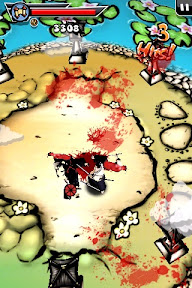
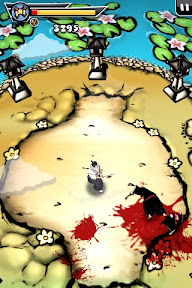
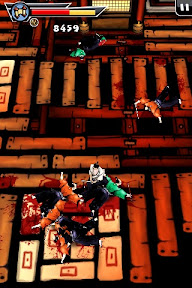
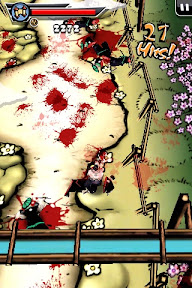
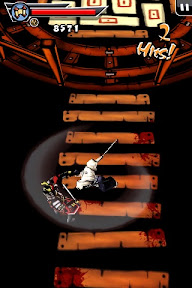

Enemies are all quite similar, they take longer to bring down and the really hard ones (bald and dressed with blue or red robes) can get combinations on you and move quickly. Dodge them.
What will keep you playing again and again are the finishing moves, when you may kill one enemy with a single blow, slicing his body in half, or beheading him. This will keep you playing just for the sake of releasing some job or everyday frustrations. And also to see what happens if you end dojo modes, of course!
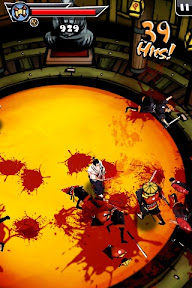
Below you can see the mayhem you can generate in the dojo modes.
Hints and tips:
- One hit kills: One hit kills (beheading, slicing in half or slicing in two) get harder as the enemies get tougher. Some insights I have found while playing to get more one hit kills. There is also a strong randomized factor, thus take these with a pinch of salt:
- Speed: It looks as if the quicker you deliver a blow, or execute a combo, the odds of killing grow a lot.
- Moves: Certain moves look more effective for beheading, the best ones are the three move combos (specially blood bath: up-right-left and shogun death: up-right-right) and one of the two move combos is not bad (cloud cutting: up-right).
- Bosses: The simplest way to kill a boss is to keep repeating a simple combo, like right-left-right, this way you are either striking him continuously or dodging his attacks. You could also use a harder combo, but this is effective.
- Swarm fighting: Try not to get surrounded by more than 4 or 5 enemies. They may be weak and clumsy, but they will hit you while you are attacking each other. In particular, 3 move combos end in a slow-motion final blow... But only you and the attacked are in slow-motion, all other enemies move at their normal speed.
- Low on health: Like the boss combo, keep on attacking as quick as you can with simple combos. You may then be able to kill all attackers before you die out.
- Strategy: There are usually two ways to get ahead, and one is heavily guarded. Moreover, you can stop and wait for the enemies to come at you, one by one. No need to fight 8 or 10 enemies at once (but it is more fun, of course!)
Non-affilite iTunes Store link here.
Related posts:
All hail Steve Jobs and his iPad? Retro on iPod Touch (2): ScummVM iHold: an iPod touch credit card stand Canabalt for iPod / iPhone game review Field Goal: iPhone/iPod Touch game review Vector Tanks: iPod Touch / iPhone game Backbreaker for iPhone/iPod review Trundle iPod / iPhone game reviewThe "Related posts" method I use involves Javascript, thus it doesn't work in the RSS feed. To view related posts, please refer to the original article. Thanks!
02/05/2010 - Lunarcy: iPod / iPhone game review
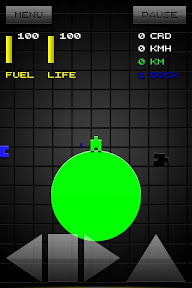
My review for today is about an interesting physics puzzle game: Lunarcy, by TheFabrik. I got this game for free sometime around Christmas, and although I didn't play it much at the time I thought it was nicely done. Yesterday I was bored and gave it another try, and I must say it: it definitely rocks.
Disclaimer: it is hard, really hard. The objective of the game is to dock your green spaceship in the blue space docks, before landing on the green planet again. Sounds easy, don't you think?
It isn't. The controls and physics engine are the best I can think of for such an small and simple game. The triangle pointing up is your forward thruster, the left-right triangles are your rotation thrusters and the big square is an stop rotation switch. The difficulty? You have to dock exactly in the docking connector, and the fuel is quite tightly packed. Start thrusting randomly and you'll be lost in space.
It isn't. The controls and physics engine are the best I can think of for such an small and simple game. The triangle pointing up is your forward thruster, the left-right triangles are your rotation thrusters and the big square is an stop rotation switch. The difficulty? You have to dock exactly in the docking connector, and the fuel is quite tightly packed. Start thrusting randomly and you'll be lost in space.
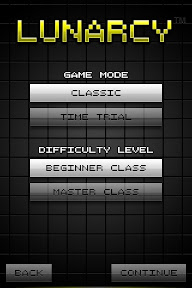
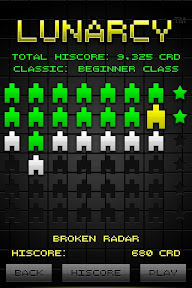
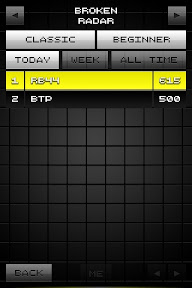
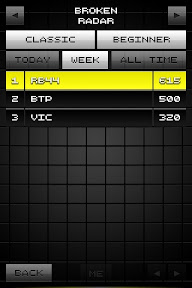
The game comes with two game modes, and two difficulty levels. Moreover, it has its own set of online high-score tables, but I would prefer being able to tweet my score or integration with OpenFeint.
The level selection screen show 48 eight levels, 6 of which are special levels (the starred ones). In each level you have to dock and land, except for the starred ones. The two I have played are perfect orbits in which you have to set your spaceship in a perfect orbit, using as little fuel as possible.
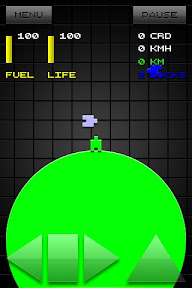
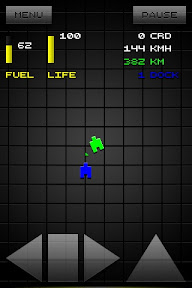
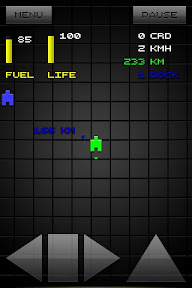
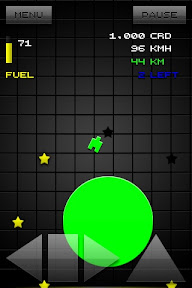
I just checked the Master class level 1, but found no difference between level 1 in Beginner class. Odd. The game costs just 0.79€ (0.99$), and my opinion is that it is worth more. If you stick to it for a while, you'll definitely love this game.
Non-affiliate iTunes link: Lunarcy (0.79€, 0.99$)
Related posts:
 All hail Steve Jobs and his iPad? Retro on iPod Touch (2): ScummVM iHold: an iPod touch credit card stand Canabalt for iPod / iPhone game review Field Goal: iPhone/iPod Touch game review Vector Tanks: iPod Touch / iPhone game Backbreaker for iPhone/iPod review Trundle iPod / iPhone game review
The "Related posts" method I use involves Javascript, thus it doesn't work in the RSS feed. To view related posts, please refer to the original article. Thanks!
14/03/2010 - Trundle: iPod / iPhone game review
Trundle is a rare gem of good design among the below-average level of free iPhone games. Its best description, I guess, would be that of a physics puzzle game, but this hides a lot of what it is the game really is.One of the iTunes store reviews said it reminded him of Another World (Out of this World in the US), and that really suggests the real feeling for the game.I guess you can find a better
19/02/2010 - Price vs playability
Yesterday I stumbled on Canabalt, again after quickly passing over it a year or so ago. I played 2 or 3 games of the flash version, and started to consider if I should buy the iPhone/iPod one.The main drawback was its price: 2.39€. Exactly the same as NFL 2010 by Gameloft, a game I had bought recently.I just wanted a taste of football, after playing two great casual games, with football setting:
19/02/2010 - Canabalt for iPhone
Canabalt, just like World of Goo comes from the Experimental Gameplay Contest, and turned into a quite widespread flash game. Below you can read my review of the iPod/iPhone port.Canabalt is a simple game, both in concept and gameplay. You play the role of a man running and jumping through rooftops, escaping of something unknown while jets fly in the background and buildings turn to debris. All
18/02/2010 - Field Goal: iPhone/iPod Touch game review
The SuperBowl day a lot of App Store games went free, among them a little gem of casual game playing. In Field Goal (iTunes Store link) your objective is simple. Flick your finger against the ball to score, well, a field goal. Great 3D setting, the only problem I've run into so far (not counting playing too much it) is a small glitch when your ball enters very close to the poles and it
07/02/2010 - Backbreaker
Skipping and feinting mobileBackbreaker: Tackle Alley is definitely one of the best games I have played on my iPod... And one of the cheaper. At only 0.79€, and with a free lite version, this is definitely a must, at least for trying it.What's the point of the game? Running and avoiding rival tacklers until the touchdown zone. The interesting points? Smooth 3D playing, clever control system,
19/12/2009 - Retro on iPod Touch (2): ScummVM
This is a follow up of my previous post on Retro on iPod Touch. Previously I reviewed Mini vMac Apple Mac Plus emulator. This time also comes an emulator (sort of). ScummVM is self-described as a collection of game engine recreations, and is available for several platforms (Mac, Windows and Linux at least... also several handhelds and game consoles). For me, its main use is to replay old
05/11/2009 - Vector Tanks: iPod-iPhone game
A few days ago I was looking for a vector drawing program, capable of SVG à la InkScape. So I went to the App Store, and looked for "vector". I found no vector editing, but I found Vector Tanks, and looked nice enough to (after googling and youtube) buying it. I think it is overpriced, but it is an enjoyable and fun game. I miss resuming games after tapping the "home" button. Also in the
23/09/2009 - Torus Trooper
Torus Trooper (available for Windows, Mac and Linux)Old times gaming again. This time with a really addictive and well done Tempest clone. The game idea is to go fast, faster, fastest with your ship while annihilating enemies. The game is (as I said) fast. From animations, to music. Although I used to play it in windowed mode in my Windows and Mac machines, playing it in my netbook is a lot


